Switching Audiology Software Is Easy.
Setting It Up Correctly Is Not.
Very few design how it will actually function after go-live.
Data migration is handled by the software company. HearShield Pro designs the system your data moves into—so your workflows, billing, and operations actually work from day one.
Why Practices Start Looking for a New System
You’ve likely outgrown your current system—or you’re responding to rising costs, limitations, or workflow friction.
You’re researching audiology practice management software, watching demos, and comparing features, expecting a new system to improve efficiency and support growth.
And it should.
But most practices get blindsided by one thing:
Software alone does not create structure.
What You See in a Demo Is Not What You Get on Day One
Audiology software demos and sandbox environments are designed to show you what’s possible—not what you’re actually receiving at go-live.
Demos are shown in fully configured environments.
What you see has already been structured, labeled, and organized.
Training focuses on features—not real-world audiology workflow systems.
Your team is taught what buttons do, not how the system should support scheduling, documentation, verification, and billing together.
Data migration moves information—not structure.
Your records may transfer, but the workflow logic behind them does not.
So instead of everything feeling streamlined, your team is left figuring it out in real time.
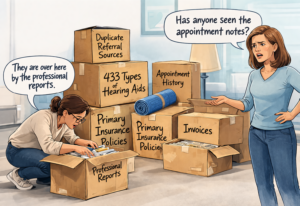
When you switch to a new audiology practice management software, your data moves—but your workflows don’t.
And that’s where most implementations break down.
The Problem Is Not the Data Migration
The software company you are moving to is responsible for your data migration—and they are the most qualified to do it.
They understand their system architecture, database structure, and constraints better than anyone.
But data arriving in a new system does not mean your practice is operational.
Without intentional configuration, your workflows, documentation, scheduling logic, and billing processes are undefined.
That is where most practices begin to struggle.
It does not design your system.
HearShield Pro does not replace the migration process.
It ensures the system your data moves into is designed to support how your practice actually operates.
What HearShield Pro Designs Before and After Migration
HearShield Pro does not perform data migration.
It designs the operational structure your new system needs in order to support how your practice actually functions.
Workflow Architecture
How scheduling, verification, documentation, billing, and follow-up work together inside the system.
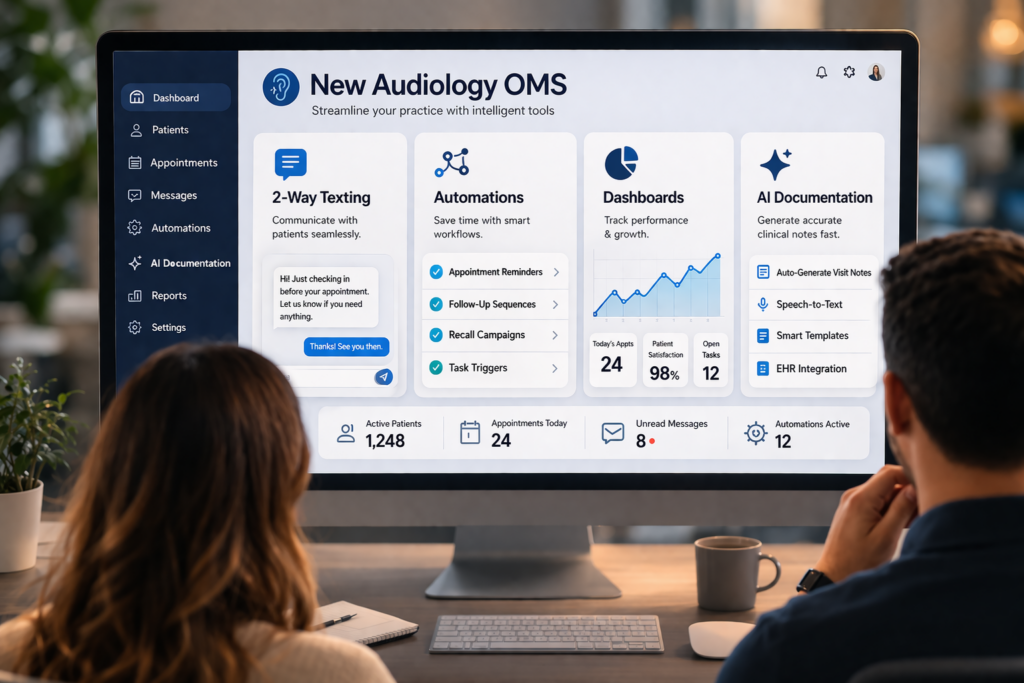
OMS Configuration
Appointment types, templates, tags, automations, billing logic, and the
settings that determine how the platform behaves in real-world use.
See how OMS setup can eliminate TPA-driven workflow issues
Operational Alignment
The structure, logic, and handoffs your team needs so the system supports execution instead of creating confusion.
It is audiology-specific system design.
Built Specifically for Audiology
HearShield Pro is not a generic migration consultant or software setup service adapted to healthcare.
It is built around how audiology practices actually operate.
Audiology Workflow Reality
Scheduling, insurance verification, charting, billing, hearing aid sales, follow-up, and managed care all affect how the system should be configured.
Platform Fluency
HearShield Pro understands the operational differences between major audiology OMS platforms—including how data, workflows, and day-to-day execution translate from one system to another.
It is about how the practice functions after it does.
HearShield Pro has hands-on experience configuring and working within major audiology OMS platforms—including Blueprint, CounselEAR, Suno, and Sycle—understanding how workflows, data, and day-to-day operations translate between systems.
What This Looks Like After Go-Live
When your OMS is configured correctly, your team is not improvising in real time.
Schedule a workflow review
We’ll review your current workflow, system selection, and go-live plan—and identify what needs to be configured before you switch.
Related Article
Planning a Software Switch?
Before you move forward, read the three most common mistakes practices make when switching OMS platforms—and why feature demos, data migration, and generic training are not enough to support real workflow, billing, and revenue protection.
Read: 3 Mistakes to Avoid When Switching OMSReal-World Audiology Insights
Why Verifying Hearing Aid Benefits Too Early Can Create Workflow Problems
Medicare Advantage hearing benefits have created new challenges for audiology...
Read MoreEasily Explain Hearing Aid TPAs to Patients
Confusion around hearing aid TPAs can lead to frustrated patients,...
Read More3 Mistakes to Avoid When Switching Audiology OMS Platforms
Switching audiology software isn’t the hard part—getting it to actually...
Read More