Audiology OMS Configuration
3 Mistakes to Avoid When Switching Audiology OMS Platforms
Switching audiology software should feel like progress. But choosing a new system is only half the equation. The real risk is assuming the software alone will fix workflow, billing, and operational issues that were never properly structured in the first place.
Maybe your current system is limiting growth. Maybe costs are increasing. Maybe your team is frustrated with inefficiencies, workarounds, or billing issues. So you start researching audiology practice management software, comparing features, sitting through demos, and planning a transition.
On paper, the process looks simple:
- Choose a better system
- Move your data
- Train your staff
- Go live
But this is where most practices get it wrong.
The success of your transition has very little to do with the software itself—and everything to do with how your system is structured before you go live.
Most practices focus on choosing the best software.
Very few prepare it to actually work.
Mistake #1: Choosing Audiology Software Based on Features Instead of Workflow
Most practices choose an OMS the same way they would choose any other tool: by comparing features.
- Does it have texting?
- Can it submit claims?
- Does it integrate with devices?
- Does it have dashboards and reports?
Those things matter. But software demos are not real workflows.
What you see in a demo environment is a fully configured system. Appointment types are already structured. Documentation templates are already built. Billing logic is already aligned. The workflow looks clean because someone already designed it.
What you actually receive after conversion is usually your data, default settings, and very little structure.
That is why a practice can choose what looks like the “best” software and still end up with:
- Inconsistent scheduling
- Documentation that does not support billing
- Confusing appointment types
- Staff adapting to the system instead of the system supporting the workflow
If you are evaluating a new platform, the better question is not just “what features does it have?” but “can it be configured to support how our practice actually operates?”
Mistake #2: Assuming Switching Audiology Software Is Just Data Migration
When practices plan a transition, there is usually a strong focus on data:
- Patient demographics
- Appointment history
- Devices
- Invoices
- Insurance
And that makes sense. Data matters.
But moving your data does not create a working system.
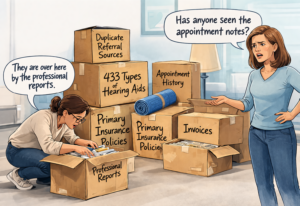
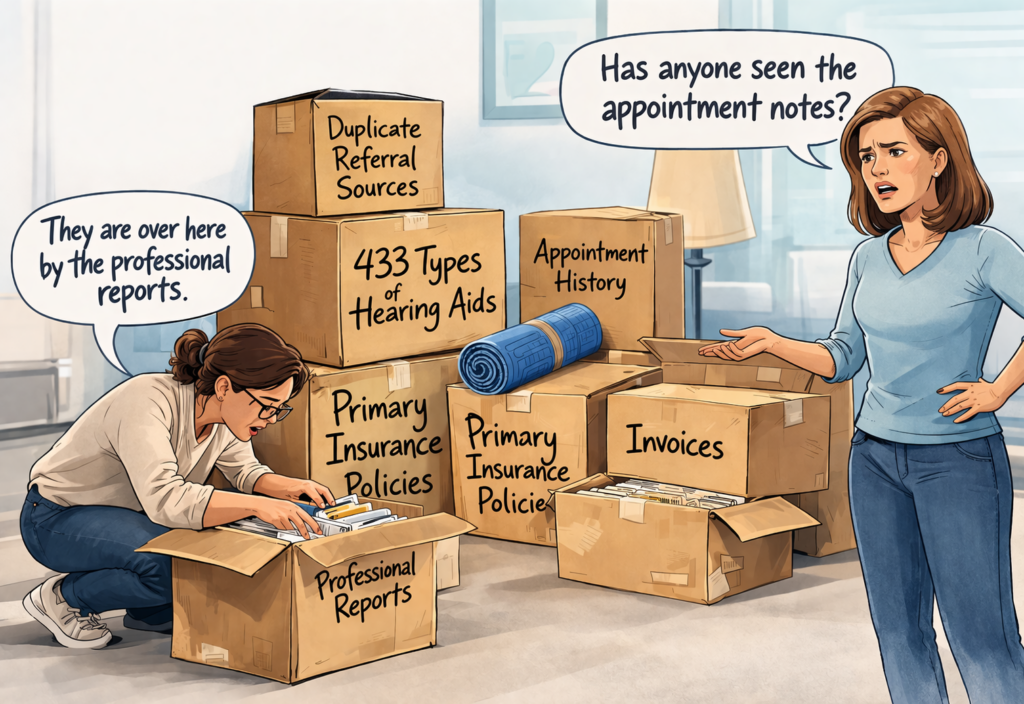
Switching systems is a lot like moving into a new house. The moving company brings everything over, but the boxes are not labeled, nothing is organized, and nothing is where you need it. Everything technically arrived. You just cannot use it efficiently.
That is exactly what happens in many OMS conversions. Your data moves—but your workflows do not.
In real life, that can look like:
- Duplicate referral source lists
- Appointment types that are vague or overlapping
- Insurance information stored in multiple places
- Documentation scattered across notes, attachments, and custom fields
- Staff asking where to put information or where to find it later
Before go-live, the system needs structure: appointment logic, service items, documentation paths, pricing rules, insurance workflow, and billing support. Without that, migration only transfers chaos into a new interface.
Mistake #3: Treating Switching Audiology Software as Training Instead of System Design
Most software companies approach implementation like this:
- Here are the features
- Here is how to click through them
- Here is where things live
That is training.
Training is important, but training is not the same as system design.
If the settings are not configured correctly, your team ends up depending on memory, workarounds, and person-specific habits. One provider documents a visit one way, another does it differently. Front desk intake varies by staff member. Billing has to interpret what happened after the fact.
That leads to:
- Workflow inconsistency across the team
- Billing gaps and avoidable denials
- More manual cleanup
- Lower confidence in the system
Your OMS should not force your practice to adapt to a poorly configured system.
The system should be configured to support your workflow.
What to Do Instead
The practices that transition well do not just choose a new system. They prepare it to work.
That means:
- Creating meaningful appointment types
- Structuring service items around 2026 CPT coding changes
- Building documentation templates that support billing
- Integrating insurance verification into workflow
- Configuring automations to reinforce the process
- Aligning pricing and write-off logic to real reimbursement structures
This is systems work—not feature activation.
Related Resources
If you are planning a transition, these pages will help you think about the setup behind the software:
Planning to Switch OMS Platforms?
Do not wait until after go-live to discover that your workflow, billing structure, and documentation logic were never built into the system.
If you are evaluating a transition, start with the setup—not just the software.